
How to Choose an Operating System for Business: Windows, Linux, or macOS in 2025
In 2025, choosing an operating system (OS) for business is a strategic decision that affects productivity, security, software compatibility, and a company's budget. With Windows 10 support set to end in October 2025, businesses are looking for the best solutions to stay competitive. This article is a detailed overview of the three main OSes: Windows, Linux, and macOS. We will analyze their advantages, disadvantages, and usage scenarios for small, medium, and large businesses, taking into account the needs of companies that use used laptops from 6,500 UAH from LuckyPC to ensure efficiency even on modest hardware.
Why choosing an OS is important for business
The operating system is the foundation on which your business is built. It determines:
Software compatibility: Does the OS support your CRM, ERP, or office applications?
Security: Does it protect against cyberattacks and data leaks?
Performance: Is the OS fast on your hardware?
Cost: Does it fit your budget (licenses, support, hardware)?
Scalability: Is it suitable for company growth?
In 2025, businesses face challenges: the end of Windows 10 support, the rise of cyber threats (according to Cybersecurity Ventures, cybercrime costs businesses $10.5 trillion annually), and the need for flexibility for remote work. Let's consider how Windows, Linux, and macOS meet these requirements.
Windows: Versatility and Standardization
Windows 11 (or Windows 10 with paid Extended Security Updates until 2026) is the standard for businesses due to its broad compatibility and familiar interface.
Advantages of Windows for business
Software compatibility: Supports most business applications (Microsoft 365, SAP, QuickBooks, Trello). Ideal for office and CRM systems.
Integration: Tight synchronization with Microsoft 365, Teams, OneDrive and Azure for cloud solutions.
Gaming and multimedia: DirectX 12 and Xbox app for businesses in the entertainment or education sector.
Hardware support: Compatible with a wide range of PCs, including used laptops from LuckyPC (from 6,500 UAH).
Security: Windows Defender, BitLocker, Windows Hello, regular security updates (for Windows 11).
Windows disadvantages
License cost: Windows 11 Pro costs $200+ per device (or $30/year for ESU Windows 10).
Windows 11 system requirements: Requires TPM 2.0, Secure Boot, Intel 8th Gen+ or AMD Ryzen 2000+, which excludes older PCs.
Resources: Windows 11 can be demanding on weak PCs (8 GB RAM recommended).
Who is it for?
Windows is ideal for businesses that:
Use the Microsoft ecosystem (Office, Teams).
Require compatibility with industry-specific applications (CRM, ERP).
Have modern hardware or can upgrade their PC.
Recommendation from LuckyPC: For Windows 11, choose laptops with Intel Core i5-8xxx or AMD Ryzen 3 2000+ (available from 6,500 UAH). If you use Windows 10, activate ESU until 2026.

Source:https://www.microsoft.com
Linux: Savings and flexibility
Linux is a family of free, open-source OSes, such as Ubuntu, Linux Mint, Zorin OS. In 2025, Linux is gaining popularity in business due to its low cost and high security.
Advantages of Linux for business
Free: No license costs, ideal for small businesses.
Compatibility with older hardware: Works on PCs with 2 GB of RAM and older CPUs (e.g. Intel Core 2 Duo). Great for used laptops from LuckyPC.
Security: Regular updates, low vulnerability to viruses (less than 1% of attacks target Linux, according to AV-Test).
Flexibility: Distributions (Ubuntu, Mint XFCE, Zorin OS) allow you to customize the OS to your needs (server, office, development).
Software alternatives: LibreOffice instead of Microsoft Office, GIMP instead of Photoshop, Nextcloud for cloud storage.
Linux Disadvantages
Learning curve: Takes time to master, especially for teams without experience.
Software compatibility: Some business applications require Wine or virtualization, which can be difficult to work with.
Support: No centralized support service, although the community (forums, Reddit) is active.
Who is it for
Linux is ideal for:
Small businesses on a budget.
Companies with legacy PCs that don’t support Windows 11.
Businesses using cloud services (Google Workspace, Nextcloud) or open-source software.
LuckyPC’s recommendation: For Linux, choose lightweight distributions like Linux Mint XFCE or Zorin OS Lite, which run on laptops with 2–4 GB of RAM. Installation is easy via bootable USB (linuxmint.com, zorin.com).
Source: reddit.com
Linux Mint XFCE interface is lightweight and familiar for business users
macOS: A Premium Ecosystem for Creative Businesses
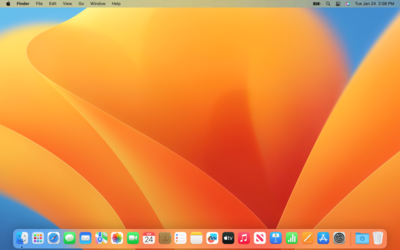
macOS, Apple’s operating system, runs exclusively on Mac hardware. In 2025, macOS Ventura or later is popular for creative and tech companies.
macOS Benefits for Business
Apple Ecosystem: Seamless integration with iPhone, iPad, iCloud, Apple Mail, and Final Cut Pro.
Security: Built-in Gatekeeper, FileVault, and regular updates. macOS has a low risk of viruses (AV-Test: <0.5% attacks).
Performance: Optimized for Apple M1/M2 chips, which provides speed even on basic MacBooks.
Creative Software: Supports Adobe Creative Cloud, Logic Pro, Sketch – ideal for design and media.
Durability: MacBooks receive macOS updates for 7–10 years.
macOS Disadvantages
High cost: MacBooks start at $999, which is expensive compared to used laptops from LuckyPC (6,500 UAH).
Limited compatibility: Does not support some industry applications without Parallels Desktop ($100/year).
Closed ecosystem: Limited customization and tied to Apple hardware.
Who is it for?
macOS is ideal for:
Creative businesses (design, video, marketing).
Businesses that already use Apple products.
Businesses that value premium design and durability.
LuckyPC recommendation: If you choose macOS, use a used MacBook Air/Pro (2018+ with M1) to save money. Run business applications through Parallels.
|
Характеристика |
Windows 11 |
Linux |
macOS |
|
Cost |
$200 (Pro), ESU $30/year |
Free |
Included in Mac ($999+) |
|
Software compatibility |
High (Microsoft 365, CRM) |
Medium (open-source, Wine) |
High (Adobe, Apple software) |
|
Security |
High (Defender, BitLocker) |
Very high (rare viruses) |
Very high (Gatekeeper) |
|
Old equipment |
Limited (TPM 2.0, CPU 2017+) |
Excellent (2 GB RAM) |
No (Mac only) |
|
Ease of learning |
Hight (familiar interface) |
Average (learning curve) |
High (intuitive) |
|
Business tasks |
Universal (office, CRM) |
Cloud, development, servers |
Creative (design, media) |
How to choose an OS for your business
Evaluate your needs:
Do you need Microsoft 365 or CRM? Choose Windows 11.
Do you work with Adobe or Apple software? macOS is your choice.
Limited budget or old hardware? Linux (Mint, Zorin).
Check your hardware:
Modern PCs (Intel i5-8xxx+, 8 GB RAM) are suitable for Windows 11.
Older PCs (2–4 GB RAM) – Linux Mint XFCE or Zorin OS.
MacBook (2018+) for macOS.
Consider your budget:
Windows: Cost of licenses or ESU.
Linux: Free, save on PC (used from LuckyPC).
MacBook: High initial costs.
Test before switching:
For Linux: Download live-USB (linuxmint.com) and check compatibility.
For Windows 11: Use PC Health Check (microsoft.com).
For macOS: Test on a MacBook in a store.
Conclusion
Choosing an OS for business in 2025 depends on your tasks, equipment and budget. Windows 11 is a universal choice for offices and CRM, Linux is economy and flexibility for old PCs, macOS is premium for creative teams. At LuckyPC you will find used laptops from 6,500 UAH for any OS to make your business run efficiently. Write to Viber/Telegram for consultation!


